Enclosure #
last modified February 24, 2026
~5 minute read
As a species, we are instinctively comfortable with containers. We have containers for food, money, people, ideas, and more. Everywhere we look, we are confronted with items designed to hold other items. As such, a container—or an enclosure—is something we readily identify.
Consider, for instance, the random collection of objects shown below:
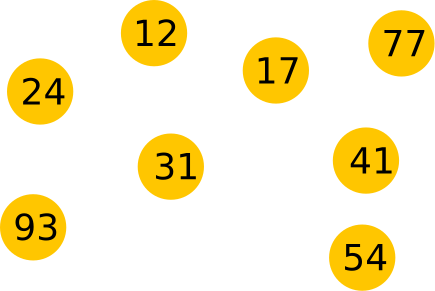
Is there a rhyme or reason in this figure? Is there any particular grouping? As shown, it is hard to decide. However, if we do something as simple as put a shaded area around a subset of these objects, it immediately becomes clear which objects we wish to be perceived as associated. This invites the viewer to consider why this might be.
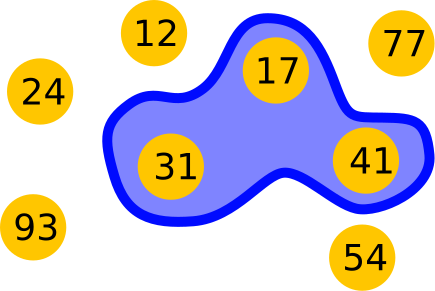
Of course, enclosure is not the only way to accomplish this linking. In the section on proximity and separation, we saw that we can compel people to see groupings by placing objects close together. In the section on alignment, we saw that creating a spatial connection does the same. Both of those approaches create groupings without adding new visual elements. However, there are times we cannot change the arrangement of objects on a page (for instance, the $x, y$ values of our data), and this is when enclosure becomes an essential tool.
Consider photographs. We cannot simply move people around within a picture. But if we want to indicate that two people are associated with one another, it feels natural to use an outline to group them together.

In the photo above, you probably assume that the woman in front has some kind of special relationship with the man behind and to the left. However, there is no reason to assume that, other than the fact that they are connected by this enclosure. In fact, this is an AI-generated image; these are not real people and have no relationship to one another. The story you are telling yourself about these two “people” exists entirely due to the suggestive power of enclosure.
Enclosure in data visualizations #
1. Highlighting a Subset of Data #
When you cannot change your data’s position, enclosure is the best way to call out a specific region of interest.
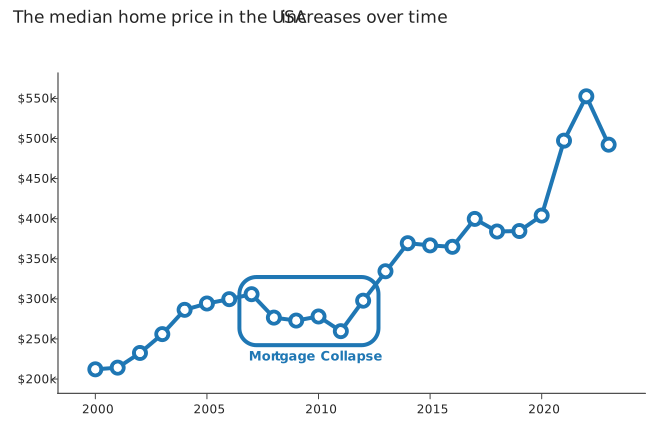
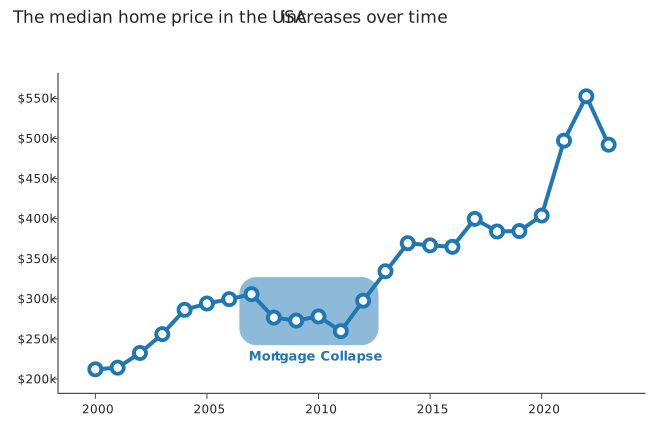
Let’s say you had a scatterplot of the median housing price in the USA since 2000, and you wanted to highlight the collapse of the housing market around 2008. You have a spectrum of options to use enclosure, ranging from subtle to strong:
- Outline: A simple line around the points. It is clear, but can sometimes add clutter if your plot already has lines.
- Filled Shape: Using a semi-transparent shaded area is often a cleaner, less cluttered solution.
- Fill + Outline: A stronger, more emphasized version that combines the strengths and weaknesses of the above two.
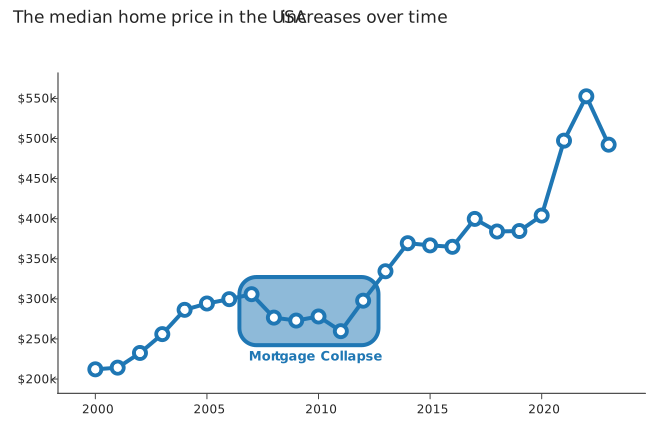
- Inverted Fill: The strongest effect, using the data’s own color to create a high-contrast “cutout.”
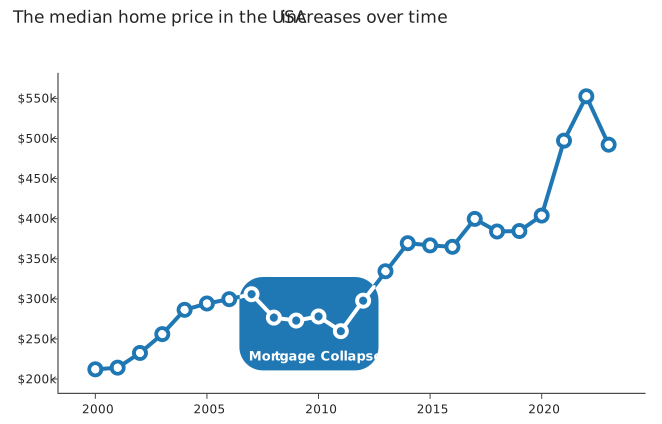
The reason to consider these different approaches is that you do not always need to reach for the strongest effect; sometimes subtlety is desired.
2. Grouping (or “Unitizing”) Annotations #
The second powerful use of enclosure is to collect multiple, separate pieces of text into a single, logical block. This is commonly encountered when thinking about annotations in data visualizations.
Imagine you fit an exponential growth to this data, and then wanted to label the model used, the parameters extracted, and the goodness of fit. You could just place the annotations on the plot. Using proximity and color helps link them to the fit line.
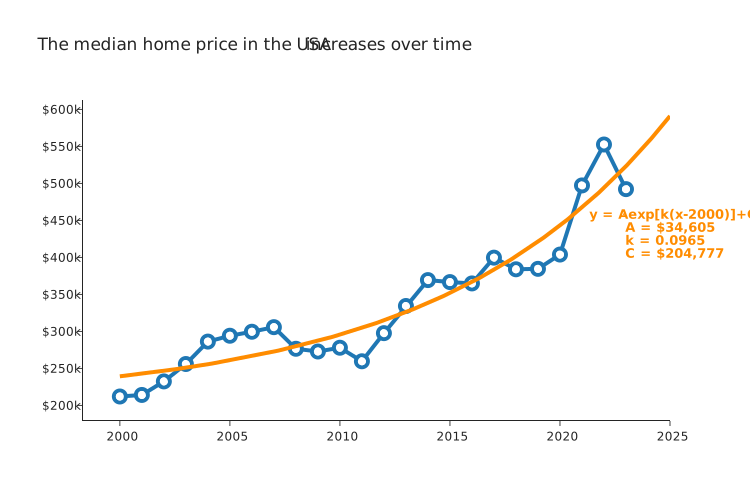
This is good, but the three lines of text (the equation, parameters, etc.) are still three separate items. By placing them inside an enclosure (like a colored box), you “unitize” them. They become one thing: “the model information.”
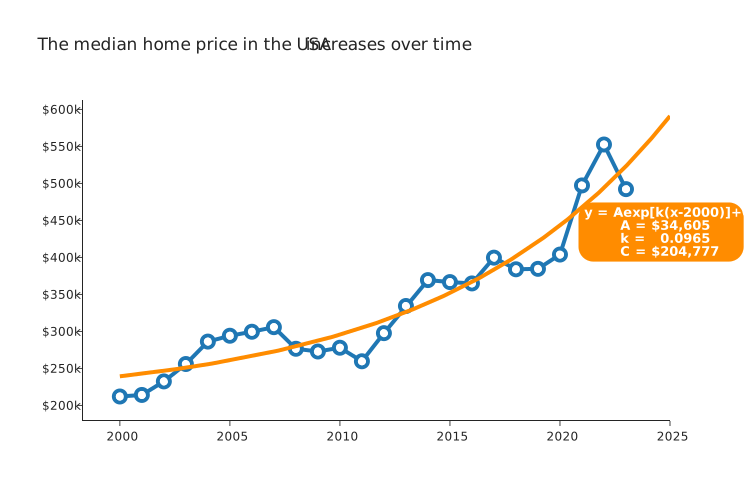
This makes the entire plot feel cleaner and easier to parse.
Concluding thoughts #
Enclosure is the “brute force” tool for showing associations. While proximity and separation and alignment use subtle spatial arrangements to suggest relationships, enclosure draws a literal line that says, “these things belong together.”
Its unique power is that it works even when your elements cannot be moved.
Use it to highlight a region of your plot or to group disparate annotations into a single, clean unit. It is an essential tool for imposing order and telling your story.
Key takeaways #
- Enclosure overcomes static layouts: When you cannot move objects to show association, placing a boundary around them explicitly groups them.
- Vary the strength: Enclosure can be applied subtly (using a soft shading) or aggressively (using an inverted cutout). Tailor the strength to match the importance of the data.
- Unitize your annotations: If you have multiple lines of text or related labels, place them inside a common container. This turns them into a single visual block instead of scattered text.
page last modified February 24, 2026