A choropleth is a way of displaying spatial relationships in data, in map form. A defining characteristic of choropleths is that connected regions of the map are colored the same way. Often these are geo-political entities, such as states or countries. The shading of the map is tied to some sort of quantitative or categorical value. For instance, one could make a choropleth of the world happiness index, and this would have countries shaded uniformly.

How to construct/interpret a pie chart #
last modified August 14, 2025
~5 minute read
There are three pieces of information that you need in order to construct a choropleth.
- Some value measured and assigned to know regions. In the case above, the values are associated with countries, but they could be states, counties, continents, etc.
- A map in which the regions that have values assigned for them are given. Above, a map was used that has countries shown.
- A means by which to relate the values to a coloring. This could be changes in the different aspects of color, or it could be different patterns. Either way, we must be able to map the values to this identifier. Once you have these three pieces of data, you can construct a choropleth.
Interpretation is done by realizing that the coloring presented in the map is connected back to some sort of scale bar, showing the correlation between the color and the values.
When to use (or not use) a choropleth #
The best time to use a choropleth is when you have data tied to regions that people can readily identify. In the image above, it is clear that we are coloring by countries, because people are used to seeing this sort of map. However, if you had data that was tied back to more unfamiliar regions, then a choropleth might be more confusing.
Another time that you might not wish to use a choropleth is when there are very large differences in size of the regions. To some extent, this is a problem with the plot shown above. It is extremely hard to see all the countries in Europe, Africa, and southeast Asia. Thus, this is not a great chart to use, if you wanted people to understand the position of all these countries.
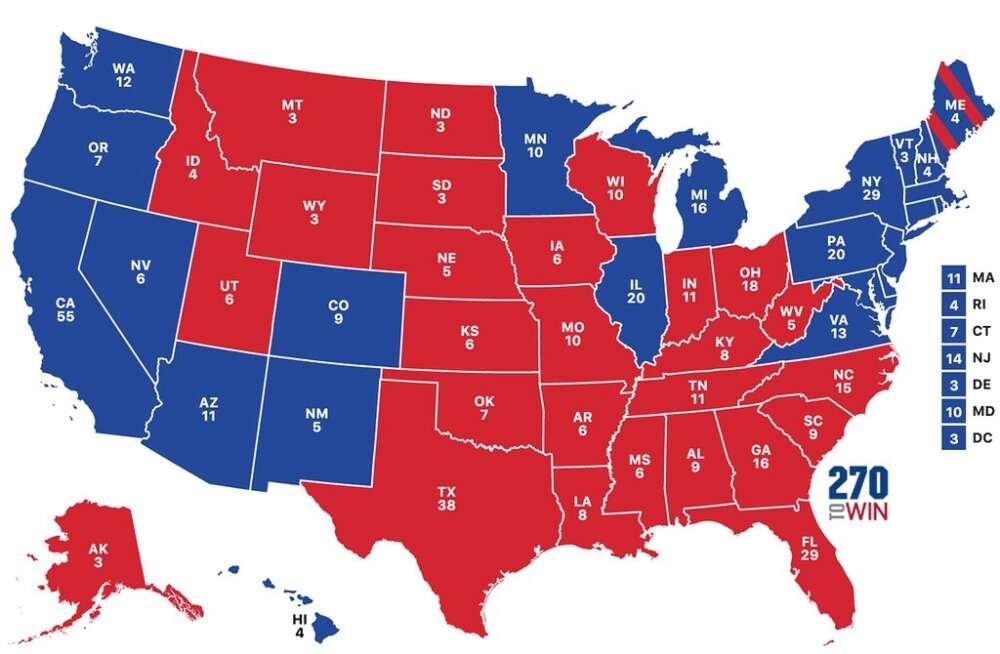
To some extent, this is not as bad when looking at choropleths of US States, but this might be about the largest differences that are reasonable to use.
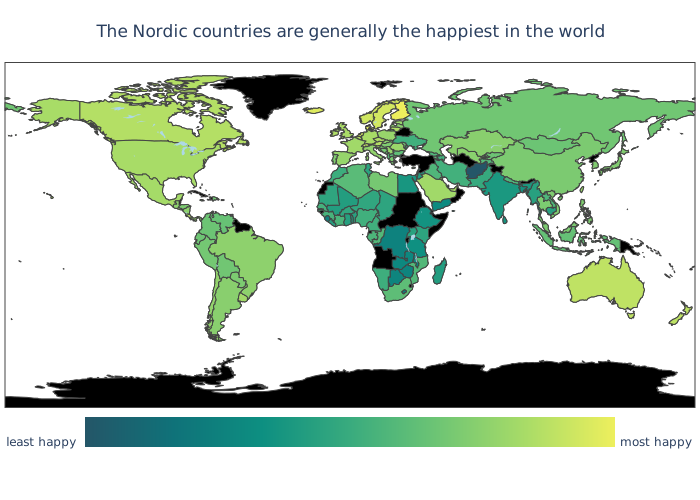
In the map of the world above, the main thrust is to focus on the Nordic Countries (Norway, Sweden, Iceland, Finland), and these are readily seen. So, while not the best choice, it does work out.
Design ideas for choropleths #
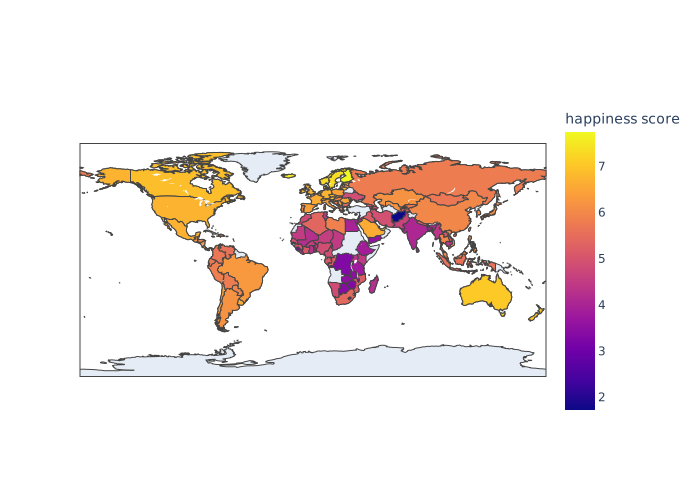
If you were to start with the data of the world happiness index, a default plot produced by Plotly is shown below.
Add a title that makes a claim #
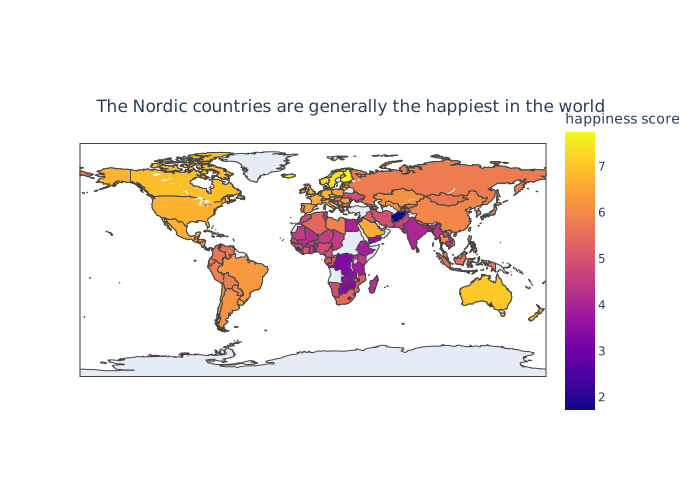
One thing that is missing from this plot is direction of focus. This can be fixed by adding a title that makes a claim, as discussed in the page on titles. In this case, we can focus the attention on the Nordic countries, which appear to have a clustering near the top.
Consider the color bar orientation #
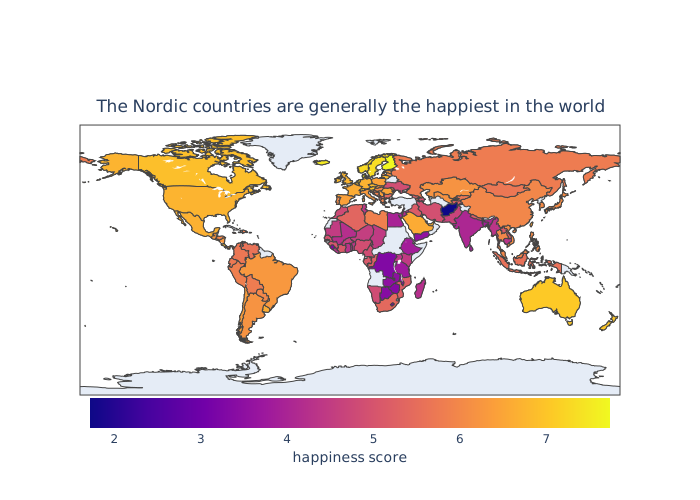
The map above is shorter vertically than it is wide. Thus, when the scale bar runs vertically, you compress the scale. This can be fine, but if you run it horizontally, you spread it out a bit more, and also gives back a bit more room for the map.
Consider if numbered color bars are worthwhile #
As discussed on the page on the purpose of data visualizations, we are often trying to show patterns, rather than numbers. Also, it turns out that color is one of the worst ways to encode numerical data in a way that humans can decode accurately. Thus, not only are we not trying to show precise data values, but this is not a great way to do it anyway. Additionally, in this particular chart, I doubt anyone is really interested in the precise numerical value for happiness. Instead, they are probably more interested in who is least happy and who is most happy. Thus, the numbers are probably even distracting—asking people to think about something they are not really interested in.
We can solve all of these problems by simply removing the numbers on the color bar and replacing the title with labels for the extreme ends… telling people directly what they want to know anyway.

Consider the color scale #
Choosing color scales is a relatively complex thing to do. But it is something that we should always keep in mind. Since this is a color scale that runs from one value to another, with no special value in between, we can use a sequential color scale. I also think it is important to use a perceptually uniform color scale (the Matplotlib documentation is good on this). Finally, I think it can be good to try to choose a scale where the value of interest—in this case the high end, stands out. Doing so, produces a more clean visualization.

Here, I have also considered the color family that is used. Most people will find red aggressive, where as green is more calming, which I think fits better with the theme of the plot.
Choose a good value for missing data #
Something else that is seen in the map above is that there is no data for some countries, like Greenland and Antarctica. Right now, they are colored grey, which is fine. But the grey also blends in a bit more than I might like. I think choosing a color that is clearly not part of the color scale makes this more apparent. Perhaps, coloring them black:

Consider making the margins small #
There is no reason to have all this blank space in the figure, so we can reduce the margins.
Consider if a border is needed #
We are all fairly used to looking at maps of the world. Thus, it is probably not needed that we have a border around it. In the spirit of removing unneeded elements, we can remove that border.
The end result is a clean plot that is relatively easy to interact with.
page last modified August 14, 2025