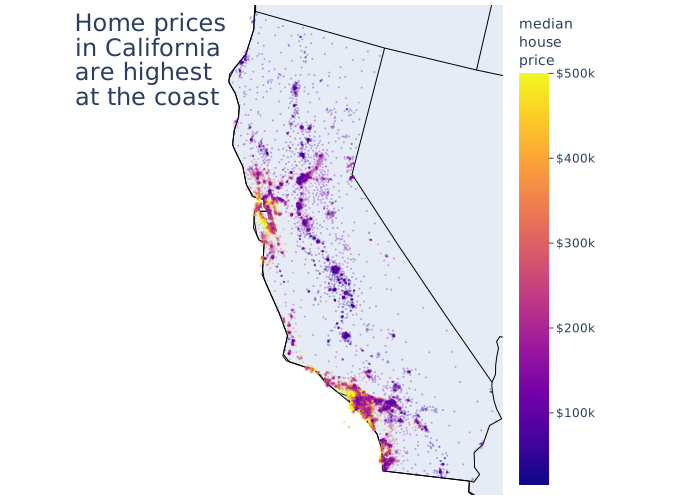
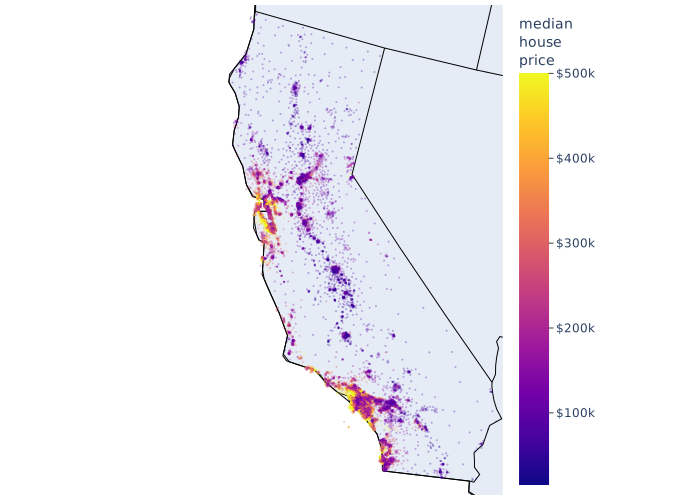
When you have data that is associated with a precise place in space, then one can represent them using a dot density map. Essentially, the idea is to create a scatter plot but the $x$ and $y$ axes are tied to spatial arrangement. The most obvious is location on the Earth, leading to plots like that shown below.
How to construct/interpret a dot density map #
last modified August 14, 2025
~3 minute read
There are two pieces of information that you need to construct such a plot.
- Values
- Locations associated with these values. These locations are often 2D, in terms of longitude and latitude. However, one can also have 3D information (including altitude) or even just 1D (consider location in a line). Once you have this information, then you simply need to place a marker at the location associated with the value. You can then choose to leave these markers as is. Or you can choose to change the markers properties to reflect values associated with the position. In the above, the color of the marker is associated with the price, but one could also assign size, opacity, or any other of the many parameters associated with markers.
Design considerations for dot density maps #
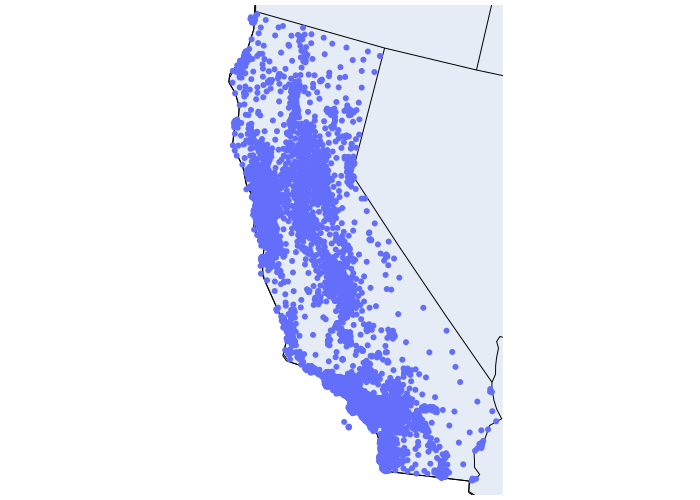
If you start with simply location data, the most basic approach is to simply put a point at each location. Taking the above data (median house by municipal district in California), you get the following.
Consider size and opacity of points #
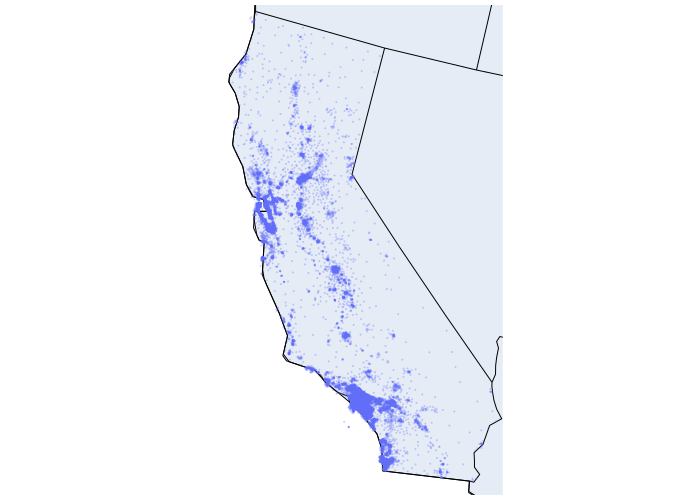
The above plot odes show all the data, but you can see that there must be many locations where the data overlaps strongly. This is not a critical problem, but if you wanted to give a better sense of how things are really distributed, you can make the points smaller. Additionally, making the markers somewhat transparent will help see regions on overlap.
Consider tying marker properties to values #
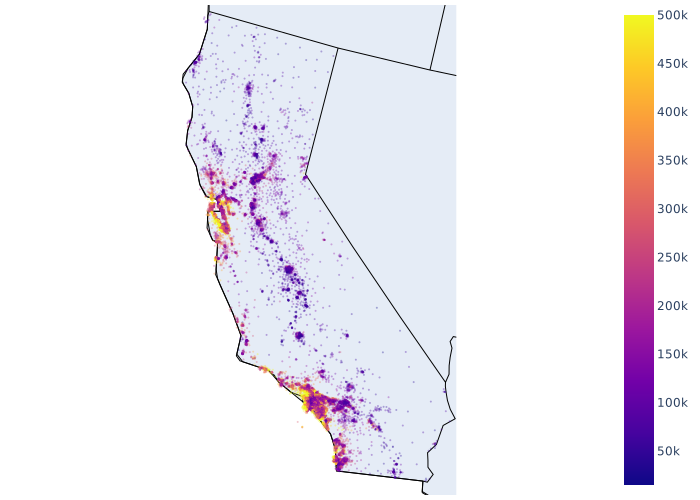
The above plot shows us distributions of municipalities in California, but if we wanted to also show information about the price, then we need to tie the price to a parameter of the particles. For this, I think one of the most effective is to tie this to a color scale. This immediately shows a spatial relationship.
Format the color bar #
If we are going to have a color bar, then we can consider how to best format it. Above, the bar is far from the data. We can move it closer, respecting the principle of proximity and separation.
Additionally, one can consider titling the bar, to make it clear what is being plotted. It is also worth considering if you need values at the tick marks. Though there are times that you might not want them (see the page on choropleths for an example) I think in this case, it is worth having them. The reason is that people are very comfortable with thinking about prices of houses, and so these numbers have real meaning to the reader and is probably what they are most interested in knowing. So, we can keep them. Perhaps having a tick mark to indicate the positions along the bar is also a good idea.
However, understanding that these numbers have real meaning means we should be careful to think about units. These are prices in money, so we should include an indication of this. Perhaps, pre-pending numbers with “$”.
Add a meaningful title #
As discussed on the page on titles, we should annotate this plot with a claim that helps direct attention on the plot. There are many stories that could be told here, but I think I want to communicate that house prices are most expensive near the coast.
page last modified August 14, 2025