Small multiples #
last modified February 24, 2026
~3 minute read
The fundamental challenge with dense datasets is the desire to display all available data while simultaneously ensuring each distinct element remains distinguishable. What is the optimal approach when faced with a vast collection of interconnected data that is entirely relevant to your narrative?
The least effective solution is to naively stack all data series onto a single axis and attempt to forcefully generate contrast. Consider this plot tracking the median housing price, state by state, from 1940 to 2000.
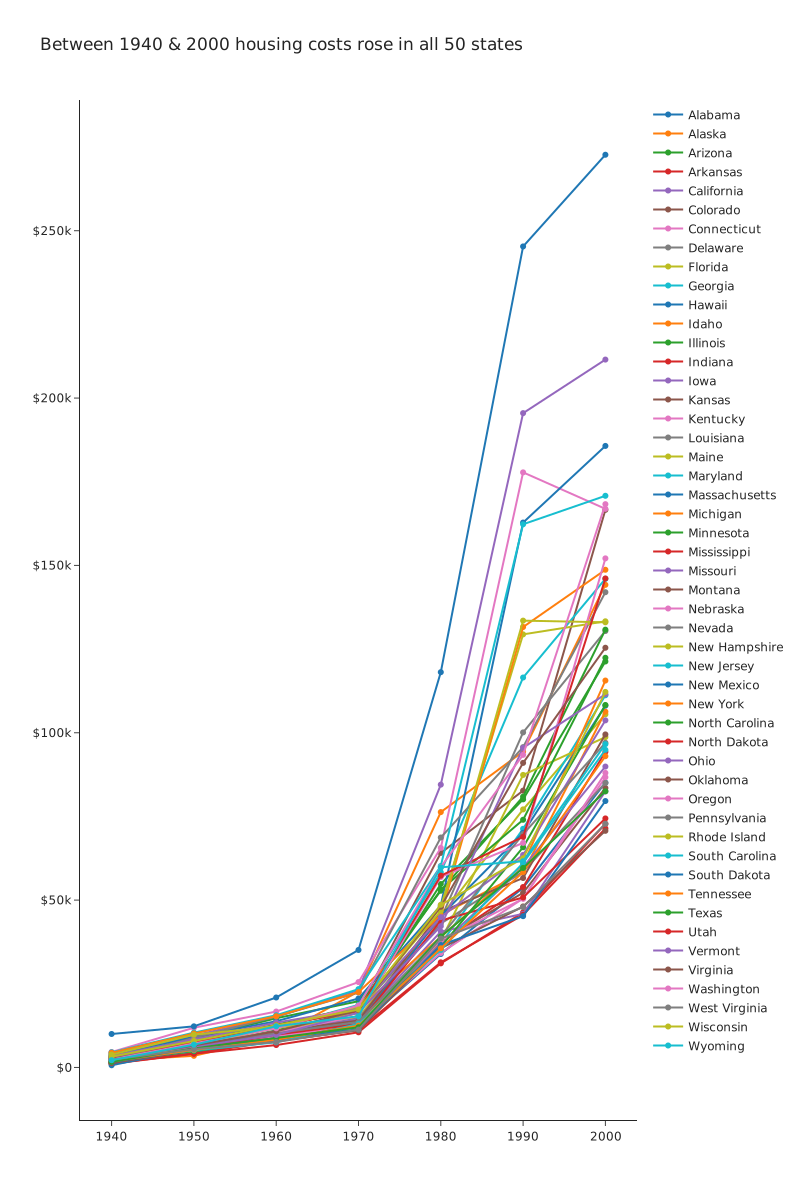
In this rendering, it is nearly impossible to track any specific state. In part, this is because the developmental trajectories heavily overlap. But more fundamentally, there are simply too many distinct colors competing for attention. For example, consider locating the state exhibiting the most aggressive price increase. Matching the specific shade of blue of that peak line back to the correct blue in the dense legend is an impossibly tedious task. The sheer volume of data exceeds the carrying capacity of a single plot space.
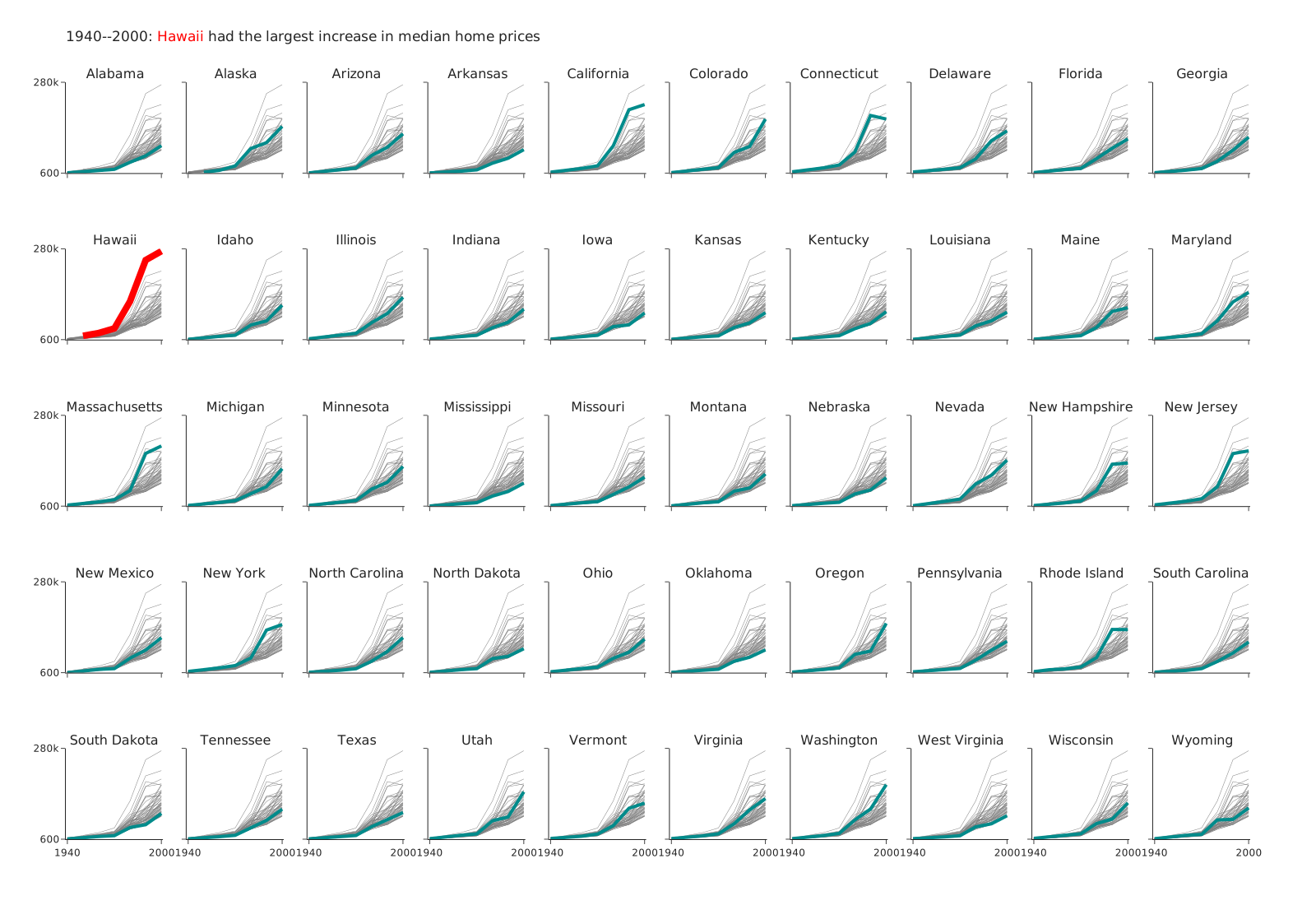
Perhaps the most elegant historical solution to this problem is the implementation of “small multiples.” When executed correctly, this technique yields an highly organized, readable graphic like the one below:
Constructing small multiples #
Constructing small multiples #
The conceptual framework behind small multiples is elegantly simple. You construct a baseline plot establishing a standard scale and format for a single subset of your data. Then, for every remaining data subset, you generate an identical parallel plot. Finally, you seamlessly arrange these individual plots into an aligned grid layout. This distribution strategy allows you to communicate a massive volume of data systematically, without overwhelming the viewer’s cognitive load.
Showing data separately #
In the purest implementation, a small multiple grid allocates exactly one data series per plot panel, labeling each autonomously. This yields a structured grid similar to the following:
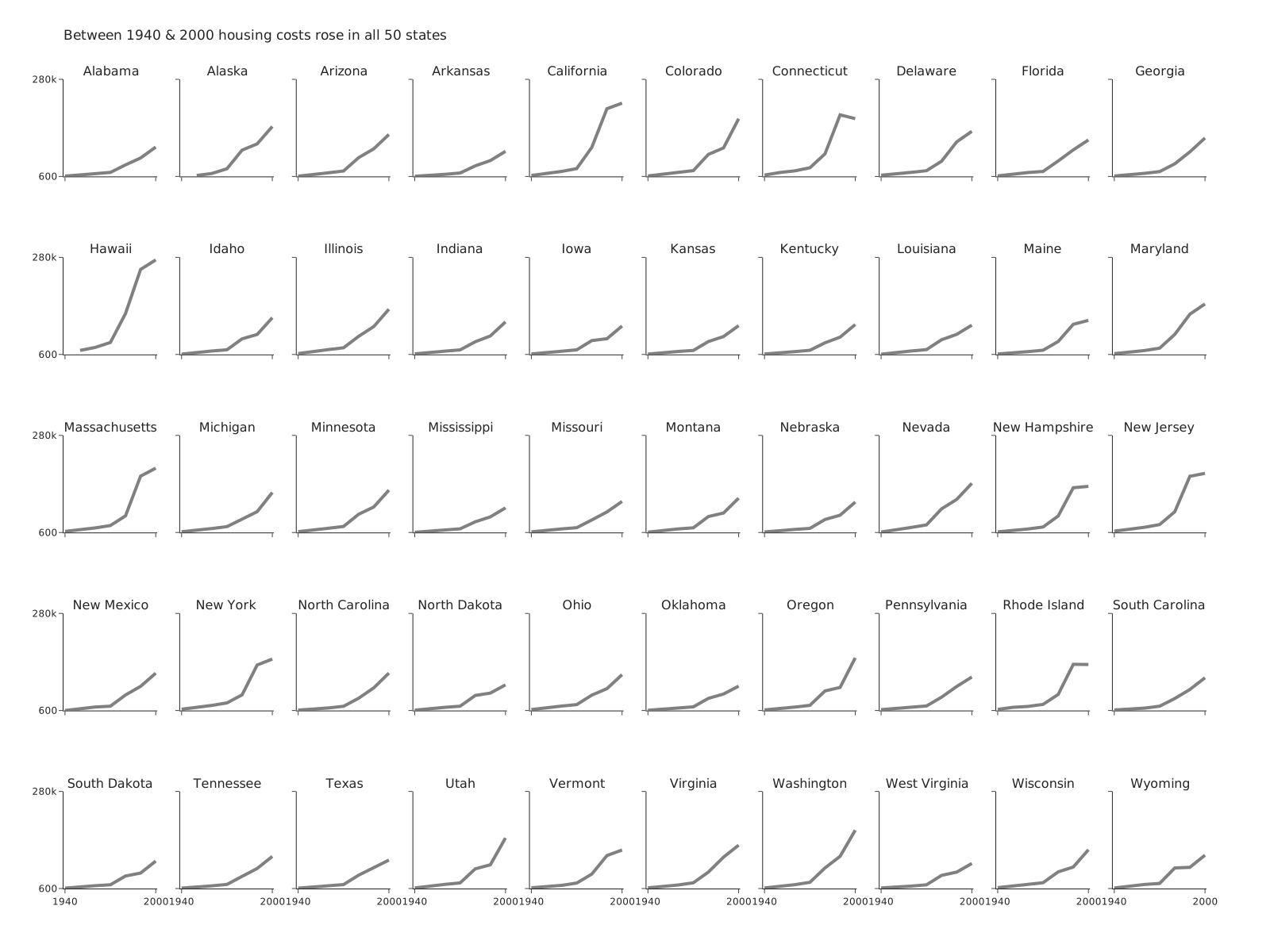
A critical design aspect to observe here is how we have aggressively mitigated clutter by stripping away redundant axis labeling. Because the coordinate scales remain strictly identical across all individual panels, we restrict explicit numerical labels entirely to the global left y-axis and the global bottom x-axis. While alternative labeling schemes exist—such as fully labeling only the top-left master plot and leaving the rest visually bare—the core objective remains minimizing unnecessary non-data ink.
While this structure guarantees all individual data points are discernible, it fundamentally isolates each trend, stripping away the macro-context of the entire dataset. A sophisticated method to reintroduce this lost context is to subtly plot the entire dataset in the background of every single panel (typically rendered as a faint, desaturated grey), over-plotting only the highlighted individual data series in a high-contrast state on top.
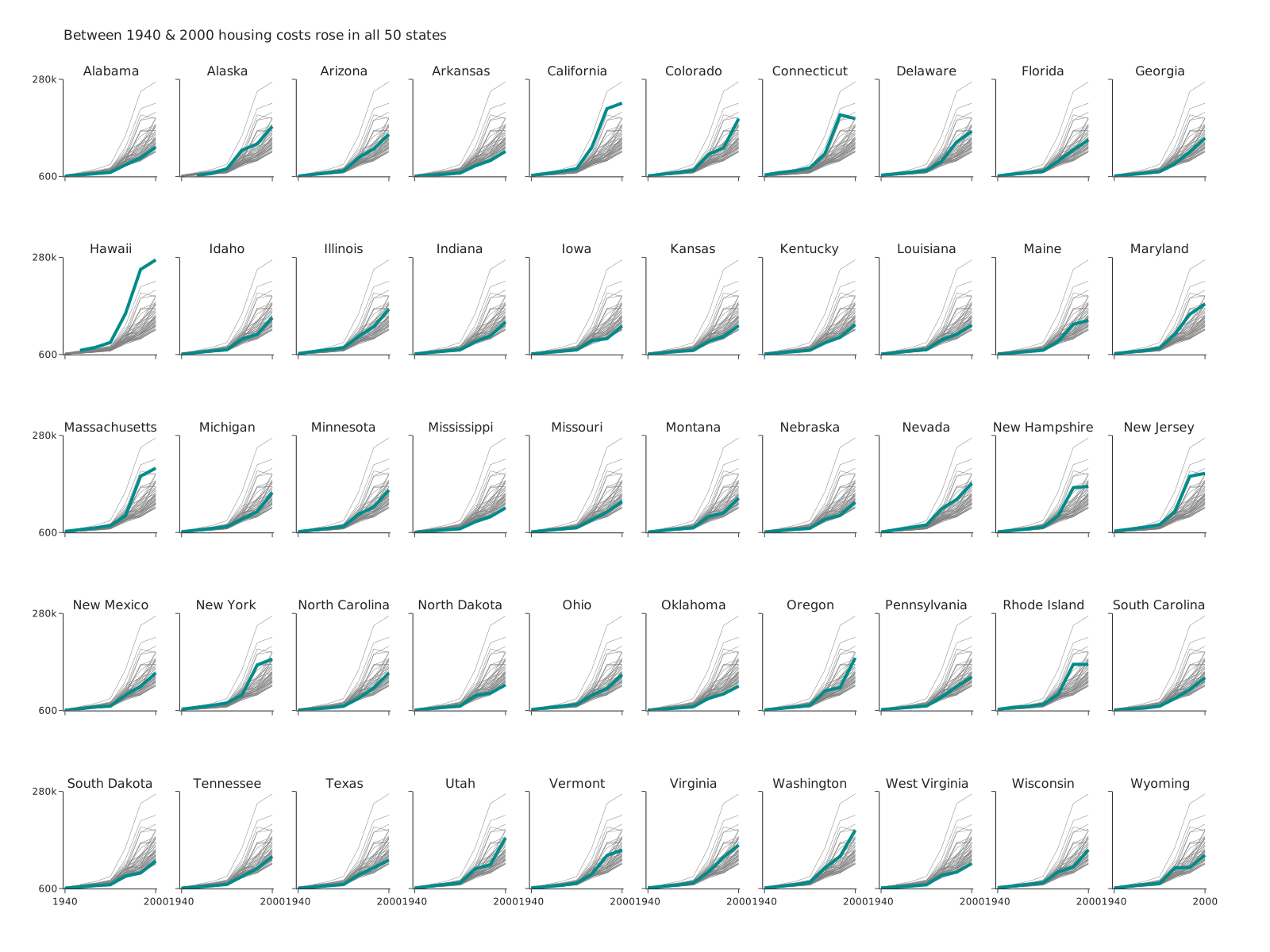
If you have a particular data series you want to call attention to, you can use contrast to do this. Perhaps by changing the color of a particular plot line.
Key takeaways #
The contextualized small multiple plot shown above is highly effective, yet there are always further design considerations. For instance, some visualization architectures expand a primary “master” plot panel to a larger scale, providing comprehensive labeling, while relegating the remaining subsets to smaller surrounding tiles. Regardless of the specific structural implementation, the commanding philosophy remains unchanged: to untangle a congested, multivariate dataset by physically spreading it across an aligned, comparable grid layout, significantly decreasing cognitive friction.
page last modified February 24, 2026